
Quick answer: The best AI logo generators and tools for 2026 are LogoMaker, Looka, Canva, Tailor Brands, Kittl, DesignEvo, Design.com, and Brandmark. LogoMaker and Canva let you start for free: No subscription required. Platforms like Looka and Tailor Brands go further with full brand kits that include business cards and social media templates.
The right choice depends on your workflow, budget, and branding needs. Remember, an eye-catching logo can be the difference between your brand being remembered or forgotten.
Not every business has the budget to hire a designer, and that’s fine. AI logo generators make it possible to create a custom logo in minutes, without any design experience.
This guide walks you through the top eight AI logo generators and tools for 2026, with honest pros and cons for each. If you’ve been wondering why a strong logo matters, check out our guide on 11 Reasons Why You Need a Good Logo.
CONTENTS TABLE
- What Is an AI Logo Generator
- Top AI Logo Generators & Tools for 2026
- How to Choose the Best AI Logo Generator or Tool
- Comparing the Top AI Logo Generators & Tools
What Is an AI Logo Generator
An AI logo generator is a web-based tool that creates a custom logo based on your inputs, your business name, industry, and style preferences. Instead of starting from a blank canvas, you answer a few questions, and the tool builds design options for you to customize and download.
Top AI Logo Generators & Tools for 2026
Here’s the full list of tools covered in this guide: LogoMaker, Looka, Canva AI Logo Maker, Tailor Brands, Kittl, DesignEvo, Design.com, and Brandmark.
1. LogoMaker
Getting a professional logo doesn’t have to cost you anything upfront. LogoMaker’s AI logo generator creates custom designs based on your business name and industry. You only pay a one-time fee when you’re ready to download your files. No subscription required.
Tell the AI what industry you’re in, answer a few style questions, and browse the generated options. Pick a design you like, adjust colors, fonts, and layout in the editor, and download when you’re happy. Your design is saved to your account so you can return to edit it at any time.
What sets LogoMaker apart from other AI logo generators is the direct path from logo to full brand. You can apply your logo to business cards, custom apparel, websites, Google Workspace email, and business listings. Your logo is free to use on every physical product you order through the platform, with no extra licensing cost.
Pros
- No payment to start: Design freely before committing. Pay a one-time fee to download your digital logo files. No subscription.
- True AI generation: Each logo is designed based on your specific inputs, not pulled from a pre-built template library.
- Integrated product catalog: Apply your logo to business cards, apparel, mugs, and promotional products without switching platforms.
- Free logo on every product: No separate licensing fee when ordering physical products through LogoMaker.
- Brand identity integration: Go from logo to website, Google Workspace email, and business listings from the same account.
Cons
- Limited team collaboration: Built for individuals and small businesses, not collaborative design teams.
Best for: Small businesses and solopreneurs who want a professional logo without paying a monthly subscription fee.
Use LogoMaker to polish your logo before it shows up on branded merchandise. A simple, adaptable design helps everything from hoodies to tote bags feel more professional and cohesive.
2. Looka
The Looka logo generator has become one of the more recognized names in AI logo design. Their tool generates logo suggestions based on your company name and industry, giving you a starting point you can fine-tune to match your preferences.
Looka also includes a brand Kit with business card designs, social media templates, and more, making it a strong alternative if you want everything built around one visual identity.
Pros
- Highly customizable: Adjust colors, fonts, and symbols to match your exact needs.
- Brand kit included: Covers social media templates and business card designs beyond the logo itself.
- Merchandise preview: See how your logo looks on products before committing.
Cons
- Subscription-based pricing: Requires a paid plan to download a usable logo, which is a downside for businesses that want a one-time purchase.
Best for: Businesses that want AI-Generated logos plus a complete brand kit and are comfortable with subscription pricing.
3. Canva AI Logo Generator
Canva is best known as a general-purpose design tool, but its AI logo maker has become a popular choice for small businesses. The platform guides you through a simple step-by-step process, and the free tier gives you access to a wide range of templates and editing tools.
Canva works well if you’re already using the platform for social media graphics or other marketing materials, as everything stays in one place.
Pros
- Generous free tier: The free plan covers most basic logo needs, with a Pro plan available for more advanced features.
- Easy drag-and-drop editor: Accessible to users with no prior design experience.
Cons
- Template-heavy: Designs rely on pre-built templates, which can limit uniqueness for brands seeking something truly original.
Best for: Businesses already using Canva for marketing materials who want a quick, consistent logo without switching tools.
4. Tailor Brands
Tailor Brands has been in the logo design space since 2014. Their tool analyzes your company details and creative preferences to generate logo assets for your industry, then lets you customize the results in an editor.
Beyond logos, Tailor Brands offers a website builder, domain registration, and branded merchandise tools, making it a full-service choice for entrepreneurs building a brand from the ground up.
Pros
- Fast turnaround: Branding materials are generated quickly, ideal for businesses that need to launch fast.
- Full branding suite: Website builder, domain registration, and social media tools alongside logo creation.
- Marketing integration: Includes social media resizing tools and SEO services.
Cons
- Subscription-only: Free logos include a watermark. You’ll need a paid plan to remove it and access clean files.
Best for: Entrepreneurs who want a one-stop shop for logo, website, domain, and brand identity, and are willing to pay a monthly fee for the full package.
5. Kittl
Kittl has grown into one of the more popular AI logo tools in 2026, particularly for businesses where typography and lettering are central to the brand. The platform combines AI generation with a professional-grade editor, giving you more design control than most template-based tools.
Pros
- Strong typography controls: Excellent for brands where font and lettering are part of the visual identity.
- Free tier available: Start designing without a credit card.
Cons
- Learning curve: More editing options usually mean there’s more to learn than with simpler tools.
Best for: Businesses that prioritize typography and want more hands-on design control than a standard AI generator provides.
6. DesignEvo
DesignEvo takes a template-first approach, offering over 10,000 pre-designed resources you can customize to fit your brand. Its Layers function lets you adjust individual design elements, which is useful for achieving a precise final result.
Pros
- 10,000+ templates: Wide variety of starting points across industries.
- Layers editor: Fine-tune individual elements without affecting the rest of the design.
- Cloud storage: Save and edit logos from any device. No software download required.
Cons
- Limited free version: The free plan only provides low-resolution files and requires attribution.
Best for: Businesses that want to browse a large template library and adjust elements with granular control, without paying for a subscription upfront.
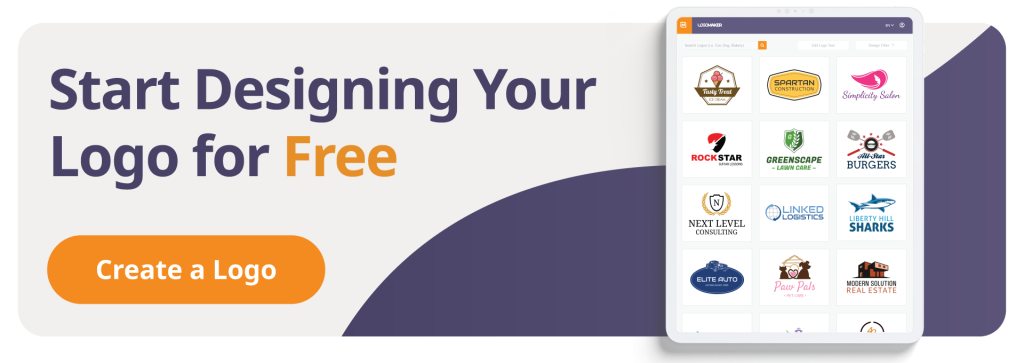
LogoMaker provides your logo in a range of file formats, ensuring printers, embroidery services, and merch suppliers have everything they need to begin production smoothly.
7. Design.com
Design.com combines AI-Generated logos with a handcrafted logo library, giving you more choice if you want something that doesn’t feel purely algorithmic. It suits businesses that want to browse a curated collection before committing to AI suggestions.
Pros
- Handcrafted library: Combines AI generation with designer-made logo options.
- Clean interface: Easy to navigate for users without a design background.
Cons
- Paid only: No free plan to try before purchasing.
Best for: Businesses that want a curated, designer-quality feel and are happy to pay upfront without a free trial.
8. Brandmark
Brandmark uses AI to generate clean, minimal logos built around readability and brand clarity. It’s a fast tool that works well for businesses that want a simple, professional result without complexity.
Pros
- Fast generation: Produces polished results quickly.
- Minimal aesthetic: Well suited to businesses that want a clean, professional look.
Cons
- Less customization depth: Fewer editing possibilities compared to tools like Kittl or DesignEvo.
Best for: Businesses that want a clean logo with minimal effort and don’t need deep customization controls.
Want to lock in your brand identity before your next merch run? LogoMaker makes it easy to create a logo and generate print-ready files, especially when using the AI-Powered logo maker.

How to Choose the Best AI Logo Generator or Tool
Every business has different priorities. Here are the five criteria that matter most.
Design Quality
Design quality covers the uniqueness, creativity, and visual appeal of the logos the AI produces. A strong result often works across business cards, websites, signage, and social media without losing clarity or impact. Look for tools that generate designs based on your specific inputs rather than recycling generic templates.
Ease of Use & Customization
A good AI logo tool should be easy to navigate, even without a design background. It should still give you enough control to adjust colors, fonts, layouts, and icons. The best tools guide you step-by-step from input to first result, then give you an editor to refine.
Brand Identity Integration
A logo is one part of your brand. Some tools go further, offering business cards, social media templates, website builders, and product printing. If you want everything built around the same visual identity, look for a platform that covers more than just the logo file.
Speed & Efficiency
The best tools generate high-quality resources quickly. They also keep the process running smoothly from your first input to your final download. Avoid tools that hide key features behind multiple upgrade prompts.
Pricing & Value for Money
AI logo tools range from free to several hundred dollars a year. If you just need a clean digital logo file, a pay-once tool like LogoMaker gives you full value without a recurring commitment.
If you need a full branding suite, a subscription-based alternative like Tailor Brands or Looka may be worth the ongoing cost. Watch out for tools that put a watermark on free logos and require an upgrade to download clean files.
Comparing the Top AI Logo Generators & Tools
| Tool | Design Quality | Ease of Use | Brand Integration | Free Option | Value for Money |
| LogoMaker | 4/5 | 5/5 | 5/5 | Free to create | 5/5 |
| Looka | 4/5 | 4/5 | 4/5 | Paid only | 4/5 |
| Canva AI | 4/5 | 5/5 | 3/5 | Free tier | 5/5 |
| Tailor Brands | 4/5 | 4/5 | 5/5 | Subscription only | 3/5 |
| Kittl | 4/5 | 4/5 | 3/5 | Free tier | 4/5 |
| DesignEvo | 4/5 | 3/5 | 3/5 | Limited free | 5/5 |
| Design.com | 4/5 | 3/5 | 3/5 | Paid only | 3/5 |
| Brandmark | 3/5 | 4/5 | 3/5 | Paid only | 3/5 |
LogoMaker and Canva lead on ease of use and value, making them the best starting points for people with no design experience. Tailor Brands leads on brand identity integration, and is the right pick if you need a full branding setup rather than a logo file alone.
LogoMaker is the strongest overall for small businesses that want a professional logo they can immediately apply to physical products and brand materials. And all without a monthly subscription.
LogoMaker is a reliable option when finalizing your brand identity before a merch order, helping you refine your logo and prepare files ahead of production.

FREQUENTLY ASKED QUESTIONS
What is the best AI logo generator for small businesses in 2026?
LogoMaker is the strongest option for small businesses in 2026. It generates a custom logo based on your business name, industry, and style preferences. Plus, you only pay a one-time fee when you’re ready to download. Your logo is free to use on every physical product you order through the platform, from business cards to custom apparel, with no extra licensing fee.
What is the best free AI logo generator?
LogoMaker and Canva both let you create and edit logos for free. You only pay when you’re ready to download your final standalone digital files. Kittl also offers a free tier with no credit card required. Looka, Tailor Brands, Design.com, and Brandmark require a paid plan to access clean, usable logo files.
What AI tool is best for logo design?
The best AI tool for logo design depends on what you need beyond the logo itself. For a logo file only, LogoMaker (one-time fee) and Canva (free tier) are the strongest alternatives. If you’re interested in a full brand kit with social media templates and business cards, Looka and Tailor Brands go further. If you’re looking for a more hands-on design control with professional typography tools, Kittl is worth exploring.
Can I use a free logo maker with AI?
Yes. LogoMaker and Canva both let you design a logo for free using AI, with no credit card required to start. You only pay when you’re ready to download your final files. Kittl also has a limited free tier. Other tools, like Looka and Tailor Brands, require a paid plan before you can download a clean logo file.
Can ChatGPT make a logo?
ChatGPT itself is a language model and can’t generate images. It’s often used alongside DALL-E, an AI image generation model that can create visual designs from text descriptions. For a dedicated AI logo generator built around branding, a purpose-built tool like LogoMaker will give you more relevant, ready-to-use results.
Can Midjourney AI make logos?
Yes, Midjourney can create unique visual designs based on user prompts. It’s primarily designed for artistic image generation. So, it takes more trial and error to get a result that works as a usable business logo. You’ll also need to convert the output to vector formats yourself for professional use.
Can you use Canva for logo design?
Yes. Canva is a popular web-based design tool with a dedicated AI logo maker. It’s easy to use and has a solid free tier. That makes it a good substitute for small businesses that want to design a logo quickly without spending money. The downside is that Canva designs are template-based, which can limit how distinctive your logo feels.
Are AI-Generated logos unique?
AI-Generated logos are created based on your specific inputs, so no two briefs produce exactly the same result. The level of uniqueness depends on how much you customize the AI-Generated starting point. Tools like LogoMaker generate designs dynamically for each user rather than cycling through a fixed template library, resulting in more original designs.
Are AI logos copyrighted?
AI-Generated logos can be protected by copyright, but the rules vary by platform. Review the terms of service for the tool you use, as some platforms retain certain rights to logos created on their software. With LogoMaker, full design rights transfer to you upon download: The logo is yours to use across all your business materials.