
If you’ve ever scrolled through Instagram, LinkedIn, YouTube, or TikTok and wondered why some profile pictures look effortlessly professional while others feel… well, a little off, you’ve already experienced the power of expert logo design for social media profiles.
In the age of online branding, your social media logo isn’t just a pretty picture—it’s your digital handshake, your first impression, and often your most recognizable asset. As of 2025, there are over 6 billion social media users worldwide, which represents 65% of the global population.
If you want your business logo to reach the largest number of eyeballs possible, social media is the way to do it.
If you’re a small business owner, a freelancer building a brand, or a company revamping your look, having a custom logo that works perfectly across all platforms is imperative. But don’t worry—designing a professional logo doesn’t require a design degree or expensive software. With today’s tools, you can make a logo for free in just a few clicks, even if you have zero graphic design skills.
In this article, we’ll dive into how to create the perfect business logo for your social media profiles, what makes a good one, and how you can use free logo maker tools, templates, and branding materials to create a cohesive online identity.
- Why Your Social Media Logo Matters
- Key Elements of a Great Social Media Logo
- Choosing the Right Logo Style for Your Brand
- The Logo Design Process: Step-by-Step
- Creating a Logo for Social Media Using a Free Logo Maker
- Tips for Non-Designers to Easily Create a Top-Quality Logo
- Examples of Social Media Profile Logos That Work

Why Your Social Media Logo Matters
Your logo is the face of your brand, literally. On social media, where people make split-second decisions about who to follow or trust, your logo can make or break that first impression.
Research suggests that businesses have just 7 seconds to get a customer’s attention. If your new logo doesn’t grab your audience’s attention instantaneously, it’s not working properly. This is even more prevalent on social media platforms, where there are hundreds of other distractions.
Think about it: your profile picture is often displayed in a tiny circle or square. That means your logo design needs to be clear, distinctive, and eye-catching at even the smallest sizes. A good logo immediately communicates your brand identity, no matter how small the image.
A strong company logo helps:
- Build recognition across multiple social media platforms.
- Create a consistent, trustworthy image.
- Reflect your brand’s personality and values.
- Make your posts and content instantly recognizable.

Key Elements of a Great Social Media Logo
When creating a logo design for social media profiles, think small but smart. Here are the essential elements to consider before you start designing.
1. Simplicity
Leonardo Da Vinci said it best:
“Simplicity is the ultimate sophistication.”
The best social media logos are simple. Avoid clutter, fine details, or excessive gradients that can get lost at small sizes. Think Apple, Nike, or Twitter; all of these logos use clean shapes and simple forms.
2. Scalability
Your logo should look as good on a business card as it does on your Facebook page. Save your logo files in different file formats (like PNG for a transparent background and SVG or PDF for vector files) so it stays crisp at any size.
3. Readability
If your logo includes your company name, make sure the fonts are legible, even when scaled down. Avoid overly decorative typefaces. Sans-serif fonts often work best for digital use.
4. Versatility
You’ll want several color variations, a full-color version, a black-and-white version, and maybe a monochrome version. Different platforms have different backgrounds, so flexibility is key.
5. Memorability
A unique logo stands out. Avoid clichés (like generic swooshes or overused icons) and aim for something distinctive.
Ready to create an amazing logo of your own? LogoMaker‘s AI-Powered logo creator allows you to make a logo in just minutes with no prior design experience required. Try the best free logo maker on the market today!
Choosing the Right Logo Style for Your Brand
Before you open a logo maker tool or scroll through logo templates, it helps to know what kind of logo fits your brand. There are several logo styles to choose from:
- Wordmarks (text logos): These focus entirely on your business name or company name. Think Google or Coca-Cola. Perfect if your brand name itself is catchy.
- Lettermarks (initials or monograms): Ideal for longer names. IBM, CNN, and HP all use lettermarks that simplify their branding.
- Icon or symbol logos: These are image-based logos, like Apple’s apple or Spotify’s waves. Perfect for strong visual identities.
- Combination marks: This combines text and an icon is great for flexible use across marketing materials, social media profiles, and websites.
- Emblems or badges: Circular or enclosed logos often used by universities, sports teams, or heritage brands. They look great, but can be tricky at small scales.
When designing for social media, simplicity is your friend. Combination marks and wordmarks tend to perform best for profile pictures and avatars.
The Logo Design Process: Step-by-Step
Creating a new logo from scratch may sound intimidating, but it doesn’t have to be. With the right tools and a clear process, you can create a logo that perfectly fits your brand in no time.
Here’s how to approach your logo design process, whether you’re using a free logo tool or hiring a professional designer:
Step 1: Define Your Brand
Before you start creating, think about what your brand represents.
- What are your values?
- Who is your audience?
- What makes you different?
Your brand kit (logo, colors, fonts, and imagery) should align with your tone and goals.
Step 2: Choose Your Colors
Your logo colors influence how people perceive your business.
- Blue = trust, reliability (great for tech or finance).
- Red = energy, excitement (ideal for food or entertainment).
- Green = nature, balance (popular in wellness or eco brands).
Choose colors that resonate with your business category.
Step 3: Pick the Right Font
Fonts communicate personality. Serif fonts feel classic and professional, while sans-serif fonts are modern and clean. Handwritten or decorative fonts can add a personal touch for creative brands.
Step 4: Sketch or Browse Templates
If you’re not a designer, logo templates are your best friend. Take a logo design for social media profiles template and play around until you start to resonate with the design. Platforms like LogoMaker, which offer free logo templates, allow you to experiment without stress.
Step 5: Customize Your Design
Use a logo editor or logo creator to tweak icons, colors, and layouts. Make sure your design feels uniquely yours.
Step 6: Test It on Social Media
Before finalizing, upload your own logo to a few platforms to see how it looks in profile images, banners, and posts.
Step 7: Download the Right Files
Make sure you get your logo files in multiple file formats:
- PNG (transparent background)
- SVG (vector)
- PDF file
- JPG (web use)
You’ll also want access to your font files and color codes for consistency across your branding materials.
Creating a Logo for Social Media Using a Free Logo Maker
Let’s face it, not everyone can afford to hire a professional designer, especially when you’re running a small business or starting a new brand. That’s where free online logo makers come in.
These tools make it easy for non-designers to create a logo that looks polished and professional.
Popular free logo creator tools include:
- LogoMaker
- Canva
- Looka
- Wix Logo Maker
While most of these let you start with logo templates, customize them, and download your finished logo in just a few clicks, LogoMaker takes it to the next level by incorporating advanced AI assistance.
Designing a Logo with LogoMaker
LogoMaker offers an intuitive AI-Powered logo maker that helps small businesses and solo entrepreneurs create a logo, with no previous design experience required.
Let’s walk through how to make your own custom logo through this excellent online tool, step by step:
- Step 1: Visit the website: Head to https://www.logomaker.com/ and click on the free logo maker tool. You don’t even need an account to start playing around with logo ideas—just dive right in.
- Step 2: Enter your business name: Type in your business name, industry, and an optional tagline when prompted.
- Step 3: Consult LogoMaker’s AI design tool: Meet LOGI, LogoMaker’s AI design interface. LOGI can ask a few questions to guide you, or if you have an idea, you can let it know, and it will work its magic. After going through a few preferences, LOGI will create four logo designs that you can choose from.
- Step 4: Pick a logo design and customize: After you find a logo that you like, select it and proceed to the customization section. Here you can add a company name and change the colors, fonts, and size of your logo design.
- Step 5: Save and download: When you’re happy with your design, you can save your work and download your free logo. Additionally, you can purchase a logo package that includes: higher resolution files, transparent background versions, multiple logo file formats, online Storage, unlimited LOGI usage, and much more.
Tips for Non-Designers to Easily Create a Top-Quality Logo
Even if you don’t have design skills, you can still create a top-quality logo using smart strategies:
- Stick to simplicity. Don’t overcomplicate it.
- Use symmetry and balance. Logos with balanced shapes feel professional.
- Choose colors with purpose. Limit your palette to two or three colors max.
- Mind the spacing. Proper alignment and spacing make a huge difference.
- Preview everywhere. Always test how your logo looks on social media, websites, and printed branding materials.
Free Logo Templates & Resources for Inspiration
If you’re feeling stuck, check out logo resources online for inspiration. Websites like Dribbble, Behance, and Pinterest showcase thousands of logo designs across different styles.
You can also explore free logo templates to spark ideas. Just remember to customize them so your logo feels original and aligned with your brand identity.
Building a Brand Kit Around Your Logo
Once your logo is ready, it’s time to expand your visual identity with a brand kit.
Your brand kit includes:
- Your logo (in multiple formats and color variations)
- Color palette (primary and secondary colors)
- Font pairings
- Branding materials like headers, banners, and business card designs
This helps you keep a consistent look across all your marketing materials and social channels. Many online logo makers include brand kit options so you can generate everything in a few clicks.
Maintaining Consistency Across Social Media
Your social media profiles are often your most visible brand assets. To make your brand feel cohesive:
- Use the same profile logo across all platforms.
- Keep your cover photos, bios, and color themes aligned.
- Apply your brand kit colors to stories, posts, and highlight covers.
That consistency builds trust—and it makes your brand instantly recognizable.
Examples of Social Media Profile Logos That Work
Let’s look at how some of the world’s most recognizable brands use their logos effectively on social media. These examples show how simplicity, scalability, and creativity come together to make a custom logo shine.
- Nike: Nike’s iconic swoosh is a masterclass in minimalism. On social media, it’s instantly recognizable even without the word “Nike.” This is a perfect example of a logo design that works beautifully in small spaces and builds brand power through repetition.
- Starbucks: Starbucks simplified its classic siren emblem to just the green mermaid symbol, dropping the company name entirely. On Instagram or TikTok, that green circle pops against most backgrounds and remains easy to identify.
- LinkedIn: LinkedIn’s white “in” inside a blue square is the perfect balance of simplicity and professionalism. It’s a great example of how logo colors and clean typography reinforce a brand’s tone, reliable, professional, and digital-friendly.
- Instagram: Instagram’s bright gradient icon has become one of the most recognizable symbols online. Even though it’s colorful, the design remains simple and flat, ideal for mobile screens.
- Netflix: Netflix’s bold red “N” logo is a fantastic lettermark example. It’s minimal, powerful, and instantly associated with entertainment.
- Canva: Canva’s script-style wordmark stands out with its rounded typography and calming teal color. It communicates creativity and ease, perfect for a free online logo maker brand.
- Glossier: Glossier’s simple “G” works wonders as a social media profile logo. It’s elegant, soft, and distinctly “beauty.” A minimalist approach often conveys sophistication and confidence—perfect for a personal brand or boutique business.
- YouTube: The red play button symbolizes YouTube across every device. It’s memorable and instantly tells you what the brand does.
- TikTok: TikTok’s musical note icon combines motion, color, and rhythm. It’s slightly abstract yet perfectly suited for a fun, youthful audience.
What You Can Learn from These Examples
Across all these brands, one thing is clear: simplicity, contrast, and adaptability are the secrets to a great logo design for social media profiles.
Even if you’re using a free logo creator or logo templates, you can still make a logo that looks refined, modern, and platform-ready.
When in doubt, test your own logo by shrinking it down and seeing how recognizable it remains. If it still pops at tiny sizes, you’re on the right track. Just make sure to download the appropriate logo files to ensure scalability.

Conclusion
Your logo is the visual heartbeat of your brand. From your social media profiles to your business card designs, a thoughtful logo design helps people recognize, trust, and remember you.
So whether you’re using a free logo generator, hiring a professional designer, or experimenting with logo templates, focus on creating a logo that truly represents your brand identity. And remember: great design doesn’t have to be complicated. With the right logo maker tool and a clear understanding of your brand, you can create a perfect logo that makes a lasting impression.
Even if you’re starting small, investing the time to create your logo thoughtfully will pay off in the long run.
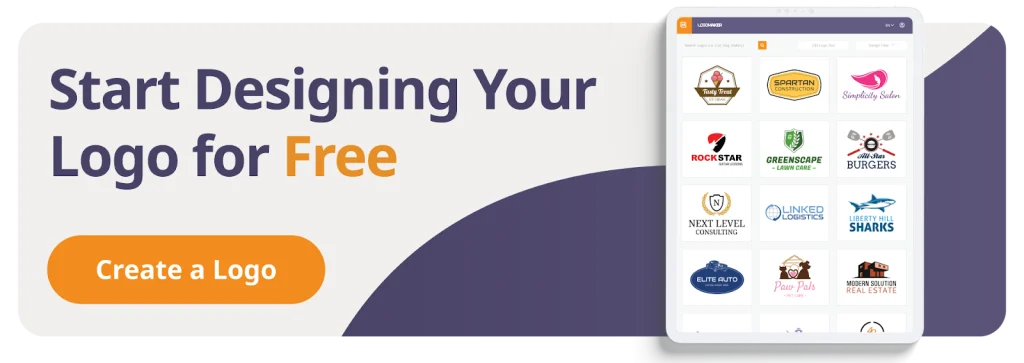
Platforms like LogoMakercan help you throughout the entire logo design process, with fully customizable templates and an intuitive logo designer. Get started today!
FREQUENTLY ASKED QUESTIONS
What size should my social media logo be?
Each platform has different size requirements, but 500x500px is a safe starting point. Always upload high-resolution files so your company logo stays sharp.
Can I use the same logo for all platforms?
Yes! That’s actually ideal for brand consistency. You might adjust cropping or color, but keep the core design the same.
What’s the best file format for social media logos?
PNG is the most popular because it supports a transparent background. Keep vector files (SVG or PDF) for high-quality scaling.
Should I hire a professional logo designer?
If you have the budget, a professional logo creator can craft a truly unique logo. But with today’s free logo makers, the logo creation process has become much more streamlined.
How do I make sure my logo looks good at small sizes?
Keep it simple! Avoid text-heavy or overly detailed designs. Test your logo at 50x50px before finalizing.
How do I create matching branding materials?
Once your logo is done, use tools like LogoMaker to design matching business cards, headers, and marketing materials using your brand colors and fonts.
Can I edit my logo later?
Yes! Most logo makers and logo editors allow you to tweak designs anytime. It’s common for brands to update the logos created as they evolve.
What colors should I use for my social media logo?
Pick colors that reflect your brand identity and work across light and dark backgrounds. You can create color variations for flexibility.
What if I don’t have design experience?
No problem! Free online logo makers are built for non-designers. With logo maker templates and a few clicks, you can easily create a professional logo—no design skills needed.